
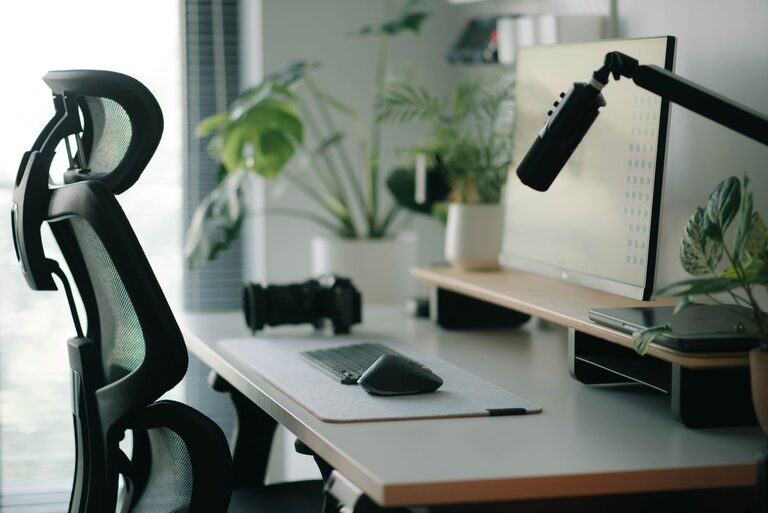
Creating a desk setup that promotes both focus and comfort is essential for anyone who spends long hours working or studying. A well-organized and ergonomically designed workspace can reduce distractions, minimize physical strain, and help you maintain concentration throughout the day. Whether you’re working from home or in an office, these practical tips will help you design a desk setup that supports your productivity and comfort.
1. Choose the Right Desk and Chair
Desk Size and Height
Start with a desk that fits your space and offers enough surface area for your work essentials. Choose a desk height that allows your forearms to be parallel to the floor when typing or writing. Standard desk height is about 28 to 30 inches, but adjustable desks or standing desks can give you more flexibility.
Ergonomic Chair
Invest in a chair that supports your lower back and promotes good posture. Look for features such as adjustable height, lumbar support, and comfortable cushioning. Sitting for long periods is easier when your chair fits your body and encourages an upright position.
2. Position Your Monitor Correctly
Eye Level and Distance
Place your monitor directly in front of you, about an arm’s length away. The top of the screen should be at or just below eye level. This setup prevents neck strain and encourages you to keep your head in a neutral position.
Multiple Screens
If you use multiple monitors, arrange them so you can view them with minimal head turning. The primary screen should remain centered, and additional screens positioned close together.
3. Optimize Lighting to Reduce Eye Strain
Natural Light
Position your desk near a window to take advantage of natural light, which improves mood and productivity. Avoid direct glare on your screen by placing your desk perpendicular to the window.
Task Lighting
Use a desk lamp with adjustable brightness and direction to illuminate your workspace when natural light is insufficient. Soft, warm light can reduce eye fatigue during late hours.
4. Organize Your Desk for Efficiency
Declutter Regularly
Keep only frequently used items on your desk to prevent clutter. Store extra supplies in drawers or organizers to maintain a clean and inviting workspace.
Use Organizers
Desk trays, pen holders, and cable clips can help keep everything in place. Labeling drawers or boxes can speed up finding what you need, saving time and frustration.
5. Incorporate Comfort-Enhancing Accessories
Wrist Supports
Consider using wrist rests for your keyboard and mouse to lower the risk of strain during typing and clicking.
Footrest
If your feet don’t touch the floor comfortably, a footrest can improve your posture and circulation.
Plants and Personal Touches
Adding a small plant or photo can make your workspace feel more welcoming and personalized, which can boost your mood and focus.
6. Maintain Good Posture and Take Breaks
Sitting Posture
Sit with your back straight, shoulders relaxed, and feet flat on the floor or footrest. Avoid slouching or leaning forward for long periods.
Regular Breaks
Follow the 20-20-20 rule: every 20 minutes, look at something 20 feet away for at least 20 seconds. Also, stand up and stretch or walk around every hour to reduce muscle fatigue.
7. Manage Cables and Technology
Cable Management
Use cable ties, sleeves, or clips to keep cords neatly bundled and out of the way. A clutter-free desk not only looks better but also reduces distractions.
Technology Placement
Keep your phone, charger, and other frequently used devices within easy reach to avoid unnecessary movements.
8. Customize Your Setup to Fit Your Work Style
Everyone’s needs are different. Some people prefer a minimalist desk with only the essentials, while others need multiple tools and gadgets. Experiment with what works best for you and make adjustments as your needs evolve.
—
Creating an effective desk setup takes time and attention to detail, but the payoff is well worth it. By focusing on ergonomics, lighting, organization, and personal comfort, you can build a workspace that supports your health and productivity every day. Try these tips to transform your desk into a place where focus and comfort work hand in hand.